
Click2Pay – An e-wallet casino payment method
Click2Pay is an e-wallet system that allows users to send money to other Click2Pay account holders, make payments to online merchants, and make deposits into online casino accounts. Signing up for an account is fast and easy, and money can be sent immediately with the appropriate funding method. The company was founded in 2003, and its headquarters are located in Grasbrunn, Germany. Click2Pay is a subsidiary of Wirecard AG.

The Best Click2Pay Casino Bonuses for April 2026


More Black Lotus Casino Bonuses

More Palace of Chance Casino Bonuses

More Club Player Casino Bonuses

More High Noon Casino Bonuses

More Aladdins Gold Casino Bonuses

More Club World Casino Bonuses

More Lucky Red Casino Bonuses

More All Star Slots Casino Bonuses

More Inetbet Casino Bonuses

More Ruby Fortune Casino Bonuses
Click2Pay Facts
e-wallet
Yes
Yes
–
£10 fee for moving cash from Click2Pay account to Click2Pay debit card. £20 fee for withdrawals via paper check
–
Germany
+49 (0)18 0511 3090 (charges may apply)
How to Create a Click2Pay Account
Creating a Click2Pay is fast and easy, and there is no registration fee whatsoever.
The process for doing so is as follows:
- Go to the “sign-up” page at www.click2pay.com.
- Click on the “sign-up” icon.
- Fill in the registration form with your account information.
- Enter your credit card information.
- Take note of your Click2Pay personal account number and save it.
Funding Your Click2Pay Account / Making a Transfer to Your Casino Account
With Click2Pay, there is no need to prefund an account before making a deposit into an online casino account, although you do have the option to do so if you wish.
The steps for making a deposit are as follows:
- Go to the online casino’s “deposits” page.
- Select “Click2Pay” as the deposit method.
- Enter your Click2Pay Account ID.
- Enter your personal Click2Pay account number.
- Specify the amount you wish to deposit.
- Confirm the transaction.
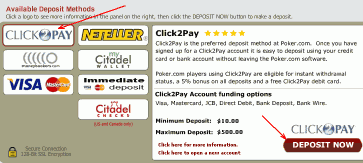
Many casinos impose minimum and maximum limits on depositing via Click2Pay and other e-wallets.
The typical limits are as follows:
- Minimum single deposit: £10
- Maximum single deposit: £250
- Maximum deposit per day: £1,000
- Maximum deposit limit per month: £3,500
Making a Withdrawal From Click2Pay
This is the process for withdrawing funds from an online casino account into your Click2Pay account:
- Go to the casino’s “cash out” page.
- Select “Click2Pay” as the withdrawal option.
- Specify the amount you wish to withdraw.
- Confirm the transaction.
Click2Pay provides a debit card that customers can use to withdraw funds from a Click2Pay account via an ATM. Linked to the global Cirrus network, the debit card can be used in more than 900,000 ATMs all over the world.
Security and Privacy of Your Personal Information
Click2Pay makes every effort to ensure the total privacy of customer information. All users need to ever provide the company is a username and password. No bank information is ever collected, so there is no risk of sensitive personal or financial information ever falling into the hands of the wrong person.
Fee Summary
There is no charge for opening an account at Click2Pay or for making a deposit at an online casino. You do have to pay a 3% fee for every deposit made into a Click2Pay account via credit card.
There is usually no fee for withdrawing funds from an online casino account into a Click2Pay account. However, you will have to pay a £10 for transferring funds from a Click2Pay account into a Click2Pay debit card. There is also a £20 fee for withdrawing funds from a Click2Pay account via check.
Loyalty Program
Click2Pay employs a “star” rating system that rewards customers with higher spending limits the longer they have use the service. Customers are also rewarded based on the amount of money they send via Click2Pay per week. Customers from Europe are automatically awarded two stars.
Customer Service
Click2Pay employs a team of expert support personnel that can handle customers concerns and queries. Customers can reach the support team via email at [email protected] and [email protected]. Phone support is available by dialing the international number +49 (0)18 0511 3090, although charges will apply.